Windows 10 – Create Desktop Shortcut to Website Page

Step By Step Guide
Video Tutorial
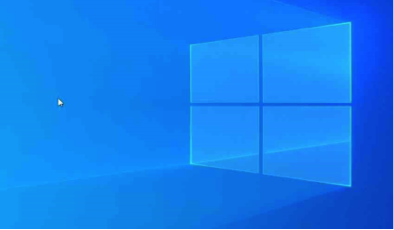
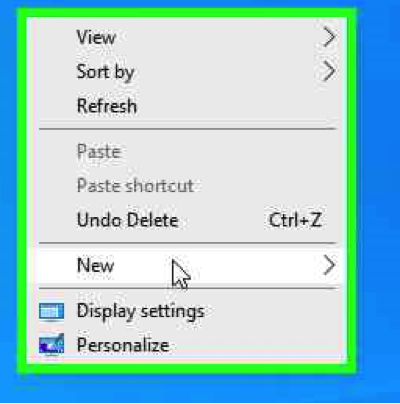
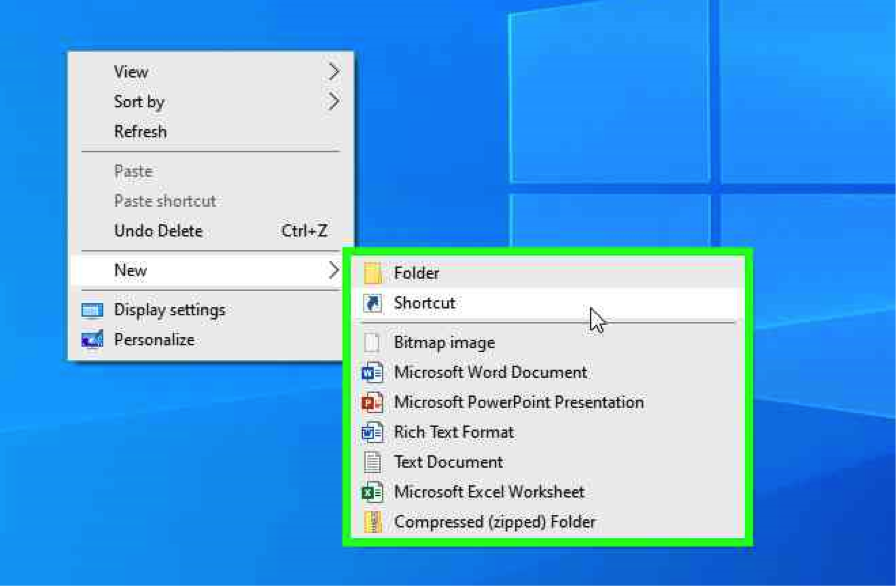
Using the Mouse, Right Click on the desktop.

Using Mouse, right click “New”

Straight To IT example

First you either need to know the website address or you can copy the URL from the address bar from the web browser.

www.straighttoit.co.uk

Full address: https://www.straightotit.co.uk

Using the Mouse, Right click on “Shortcut”

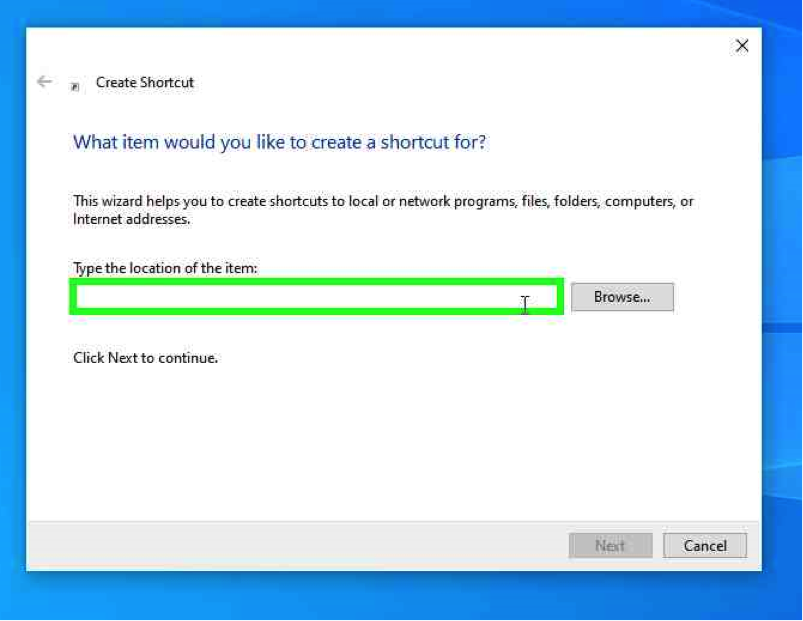
Using Mouse, left click “Type the location of the item”

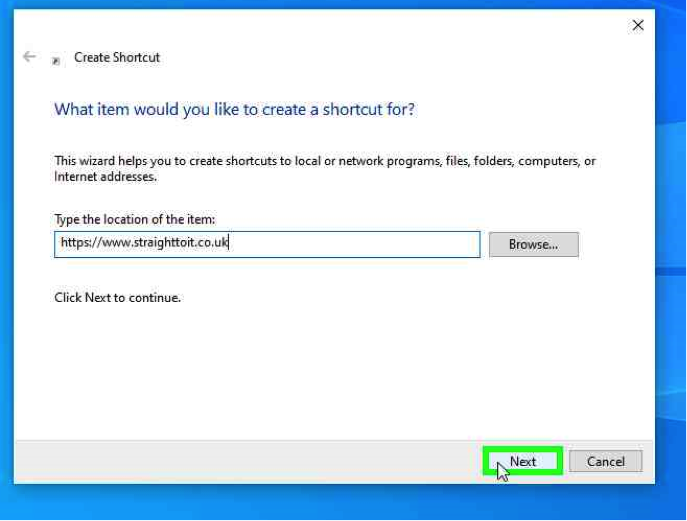
Using the Mouse right click, paste the Website URL Address , right click “Next”

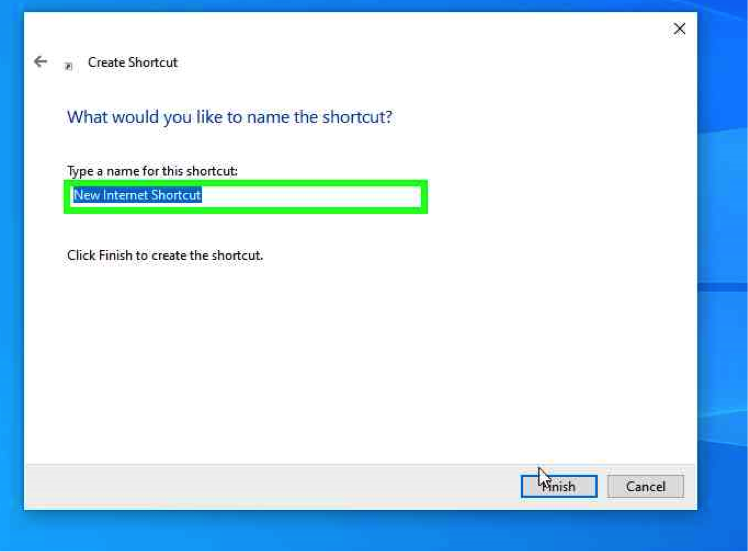
Using the Keyboard ”Type a name for this shortcut”, left click “Finish”

Using the Mouse, Right Click on the desktop.

Using Mouse, right click “New”

Straight To IT example

First you either need to know the website address or you can copy the URL from the address bar from the web browser.

www.straighttoit.co.uk

Full address: https://www.straightotit.co.uk

Using the Mouse, Right click on “Shortcut”

Using Mouse, left click “Type the location of the item”

Using the Mouse right click, paste the Website URL Address , right click “Next”

Using the Keyboard ”Type a name for this shortcut”, left click “Finish”