Mac – Manage Controls: Trackpad

Step By Step Guide
Video Tutorial
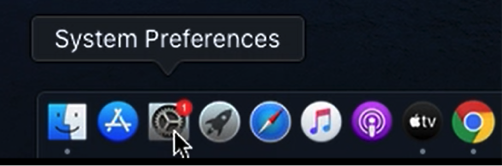
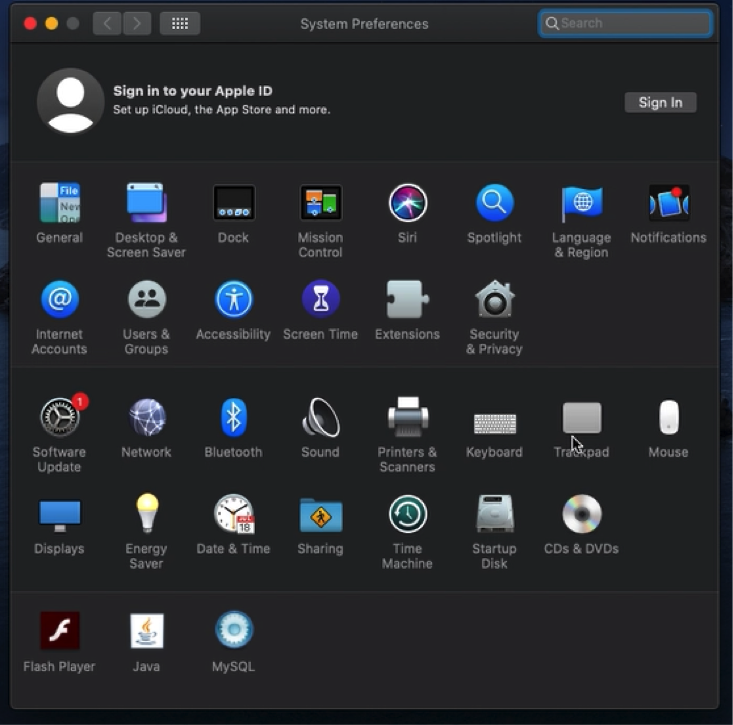
Navigate the cursor to the dock, Select “System Preferences”

Navigate the cursor, Select “Trackpad”

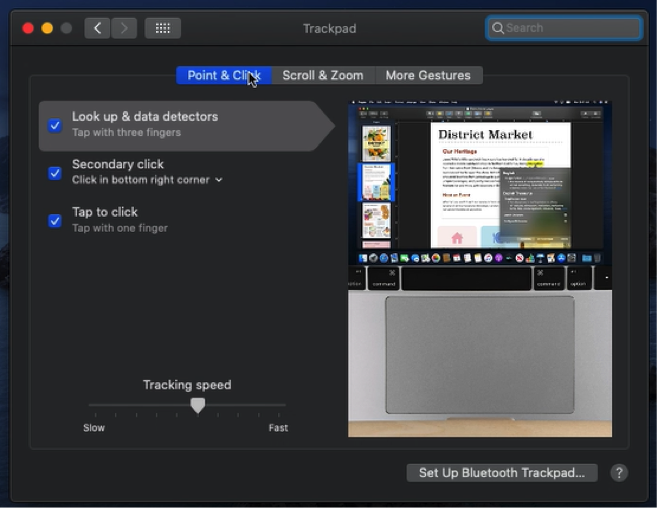
Point & Click Settings

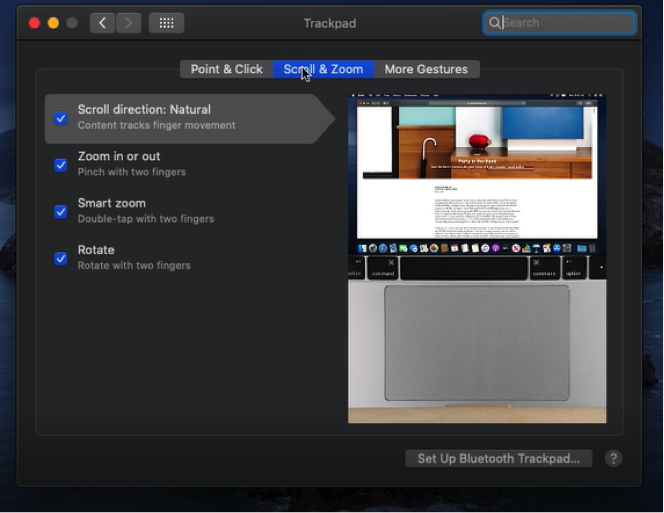
Scroll & Zoom Settings

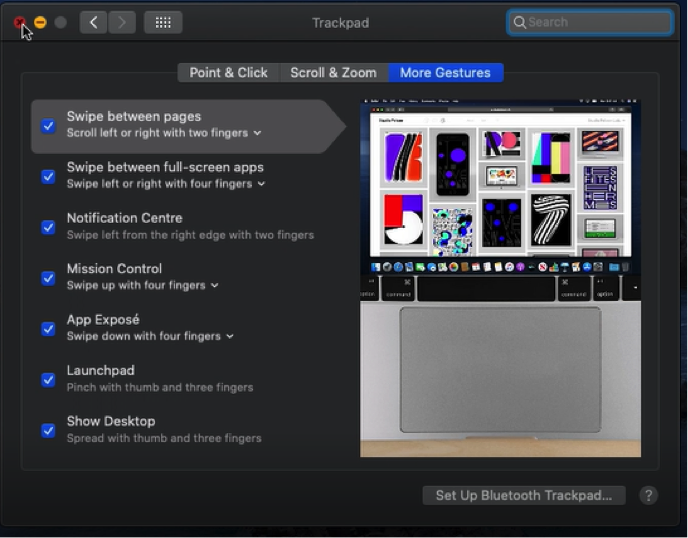
More Gestures Settings

Navigate the cursor to the dock, Select “System Preferences”

Navigate the cursor, Select “Trackpad”

Point & Click Settings

Scroll & Zoom Settings

More Gestures Settings