Windows 10 – Install Citrix Receiver

Step By Step Guide
Video Tutorial
Straight To IT tip

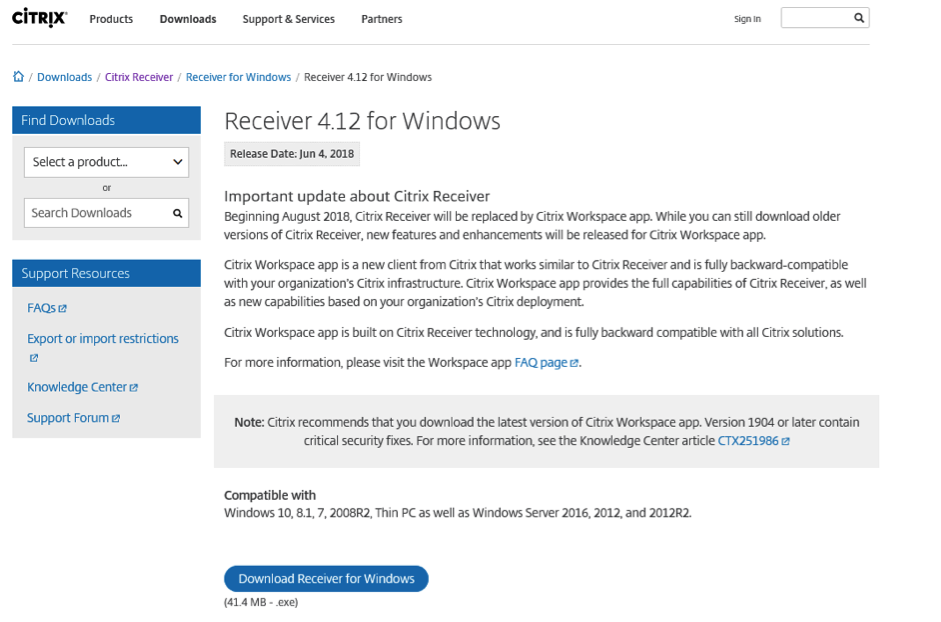
First you will need to navigate to the Citrix Website and Download receiver for windows.

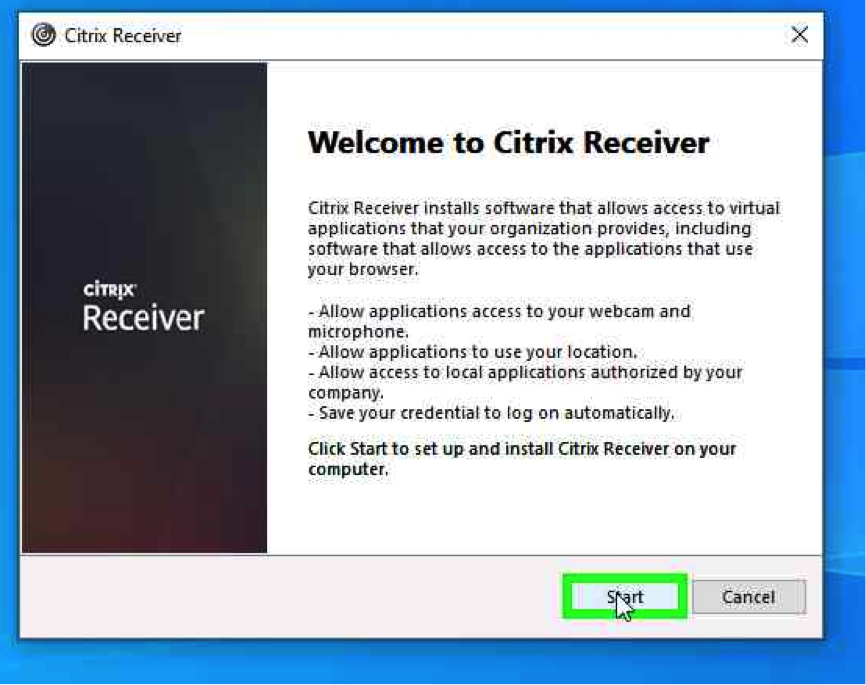
Using the mouse, left click “Start”

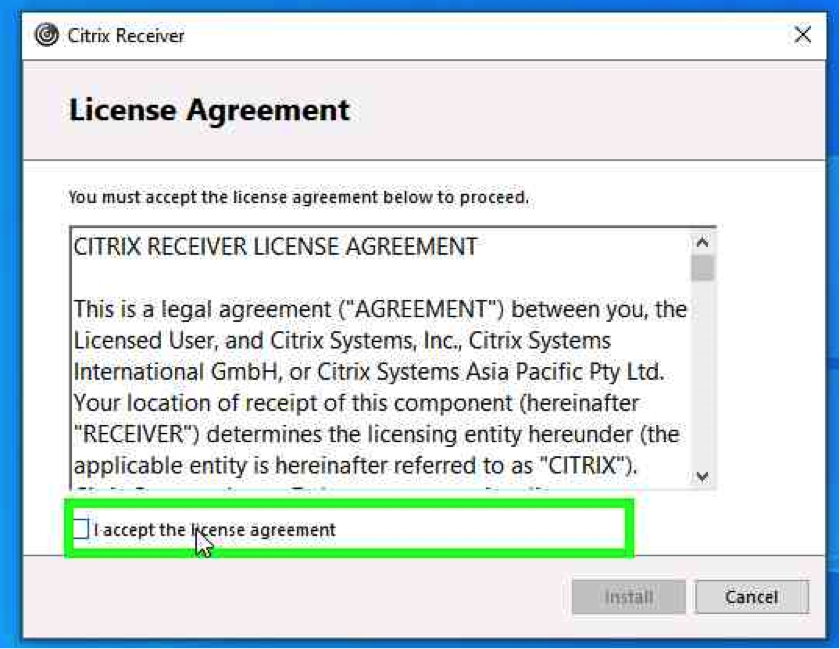
Using the mouse, tick the box to once you’re ready to accept the license

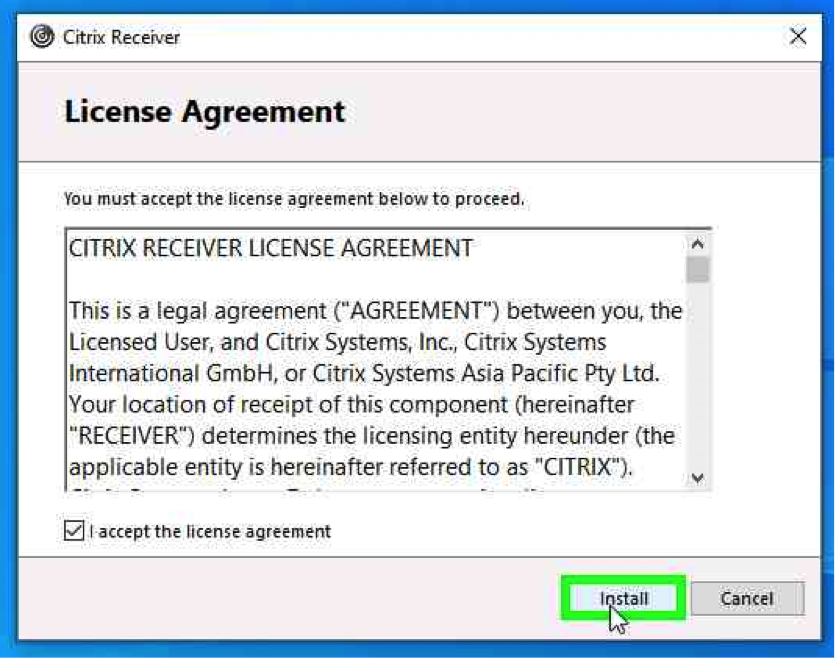
Using the mouse, Left click “Install”

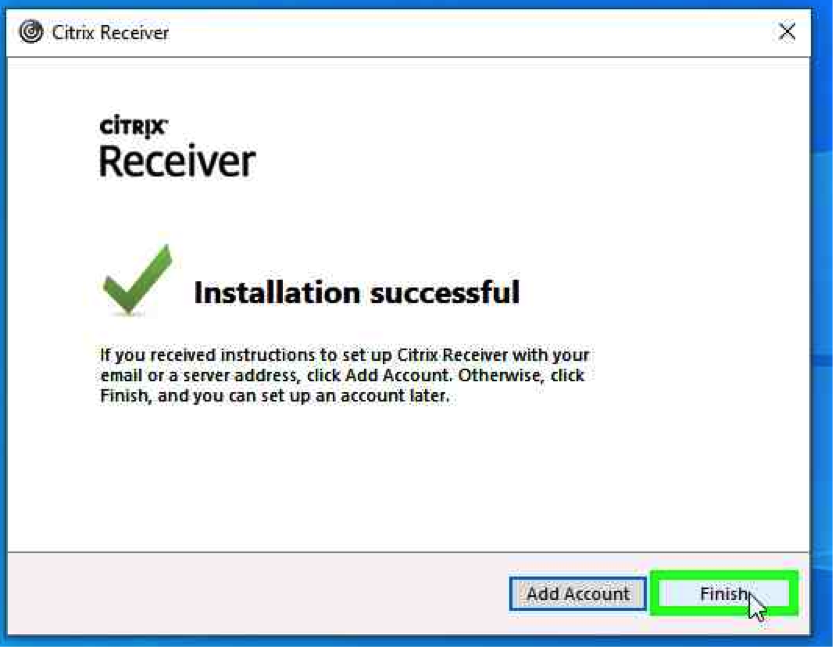
Once Installation is Complete

Using the mouse, left click “Finish”

Straight To IT tip

First you will need to navigate to the Citrix Website and Download receiver for windows.

Using the mouse, left click “Start”

Using the mouse, tick the box to once you’re ready to accept the license

Using the mouse, Left click “Install”

Once Installation is Complete

Using the mouse, left click “Finish”